


The Modern Slideshow is a dynamic, free DaVinci Resolve slideshow template designed to create cinematic presentations for your photos and videos. It features 17 media placeholders, 17 customizable text holders, and requires no third-party plugins. Compatible with DaVinci Resolve 21, this template uses a simple drag-and-drop workflow, making it the perfect photo slideshow DaVinci Resolve solution for both beginners and professionals looking to add a modern, parallax dimension to their projects.
Technical Specifications & Features
This project provides everything you need to build a professional-grade presentation quickly.
| Feature | Specification |
| Supported Versions | DaVinci Resolve 18, 19, 20, 21 (Free & Studio) |
| Resolution | 1920X1080 (HD) |
| Frame Rates | 24 FPS |
| Capacity | 17 Video or Image Placeholders and 17 Text Holders. |
| Customization | Fully customizable fonts, colors, and sizes using the Inspector Panel. |
| Audio/Music | Free commercial-use music included via musickits.net |
| Resources | Link for free fonts and a step-by-step PDF tutorial included. |
Included Free Soundtrack & Licensing
This template includes the professional track Inspiring by Konstantin Mart. You can freely monetize your videos and use this music in commercial projects under the CC BY 3.0 license.
The only condition: You must provide attribution by leaving a link to the track in your video description.
Copy-paste attribution example:
Music: Inspiring – Konstantin Mart (https://musickits.net/product/inspiring/)
Licensed under CC-BY 3.0
Video Preview: Modern Slideshow in Action
Watch the video below to see the modern animation and parallax effects included in this DaVinci Resolve slideshow.

How to Install and Use DaVinci Resolve Slideshow?
Installing this template is a simple step-by-step process: import the .drp file, add your media to placeholders, and render.
Download & Prepare
Download a free DaVinci Resolve slideshow template project. Extract the .zip archive to a dedicated folder on your drive to ensure all linked assets and files are ready for import.
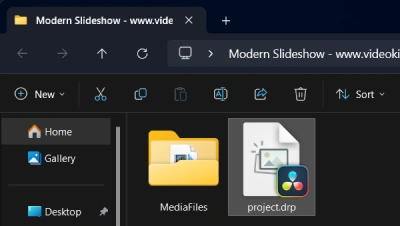
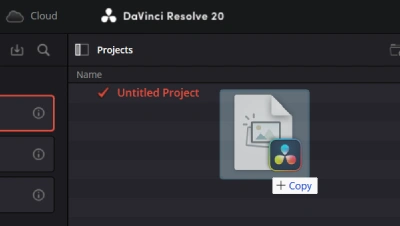
Launch DaVinci Resolve and Import the Template Project
On startup, you will see the Project Manager (use the shortcut Shift + 1). Drag and drop the .drp file directly into the Project Manager window to restore the project with all media, timelines, and effects intact.
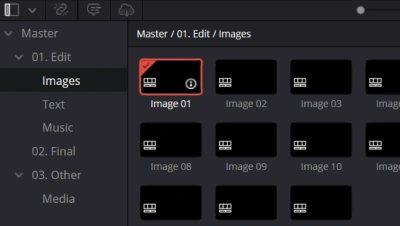
Edit Media
Navigate to the Media Pool and open the Images/Video timelines to add your own media files.
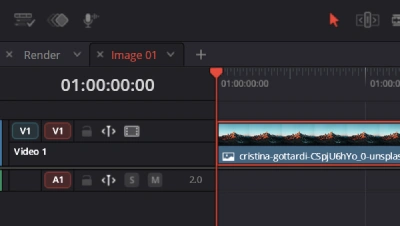
Add Media
Drag and drop your custom video footage or photos directly into the designated media placeholders.
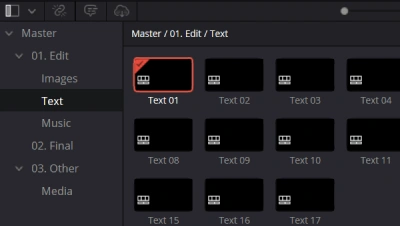
Edit Text
Locate and open the Text timelines in your project to begin modifying titles.
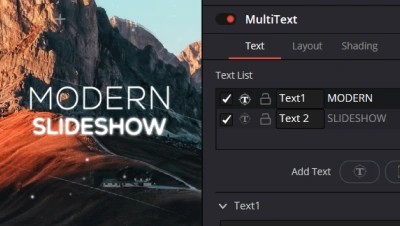
Customize Text
Select the title clip and use the Inspector Panel (top right) to change fonts, colors, and tracking to match your brand style.
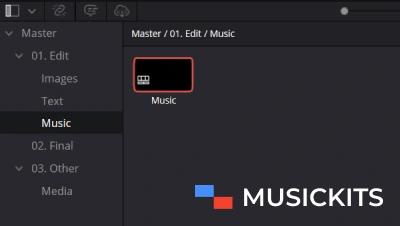
Edit Music
Add the free commercial-use music included with the project from musickits.net and open the Music timeline.
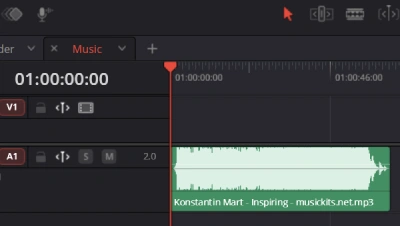
Add Music
Drag and drop the downloaded audio track directly into the timeline to sync with your video.
Final Render
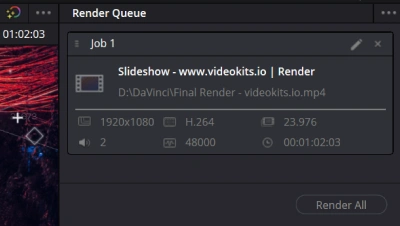
Once your edit is complete, switch to the Render timeline. Go to the Deliver Page, choose your preferred export settings, and hit “Render”. Your professional video is ready for YouTube, TikTok, or client delivery!
Frequently Asked Questions (FAQ)
Are these DaVinci Resolve templates free for commercial use?
Yes, all items labeled as free on Videokits can be used in both personal and commercial projects, including YouTube monetization.
Do I need the Studio version for this slideshow?
No. This template is fully compatible with the free version of DaVinci Resolve (version 17, 18, 19, and 21).
How do I add music to the slideshow?
You can add free commercial-use music by opening the Music timeline and dragging your chosen audio track into it. (Music from the preview is available for free download separately).
MUSIC – Free Download
There are no reviews yet.